> ## Documentation Index
> Fetch the complete documentation index at: https://docs.bentowise.com/llms.txt
> Use this file to discover all available pages before exploring further.
# Review & Presentation Mode
Bentowise does not have two separate Review and Presentation modes.
They are essentially the same workflow:
**Select some or all blocks from a board, then play them back as slides.**
The difference is simply who you are showing them to.
When you use the slides to revisit your own research, conclusions, and source material, it is a **review**.
When you show the same slides to other people and explain them as you go, it becomes a **presentation**.
 ## From Board to Slides
A board is designed for collecting, arranging, and thinking because it lets you see a large amount of context at once.
## From Board to Slides
A board is designed for collecting, arranging, and thinking because it lets you see a large amount of context at once.
 But when reviewing or explaining your work, showing the entire board is not always the clearest approach.
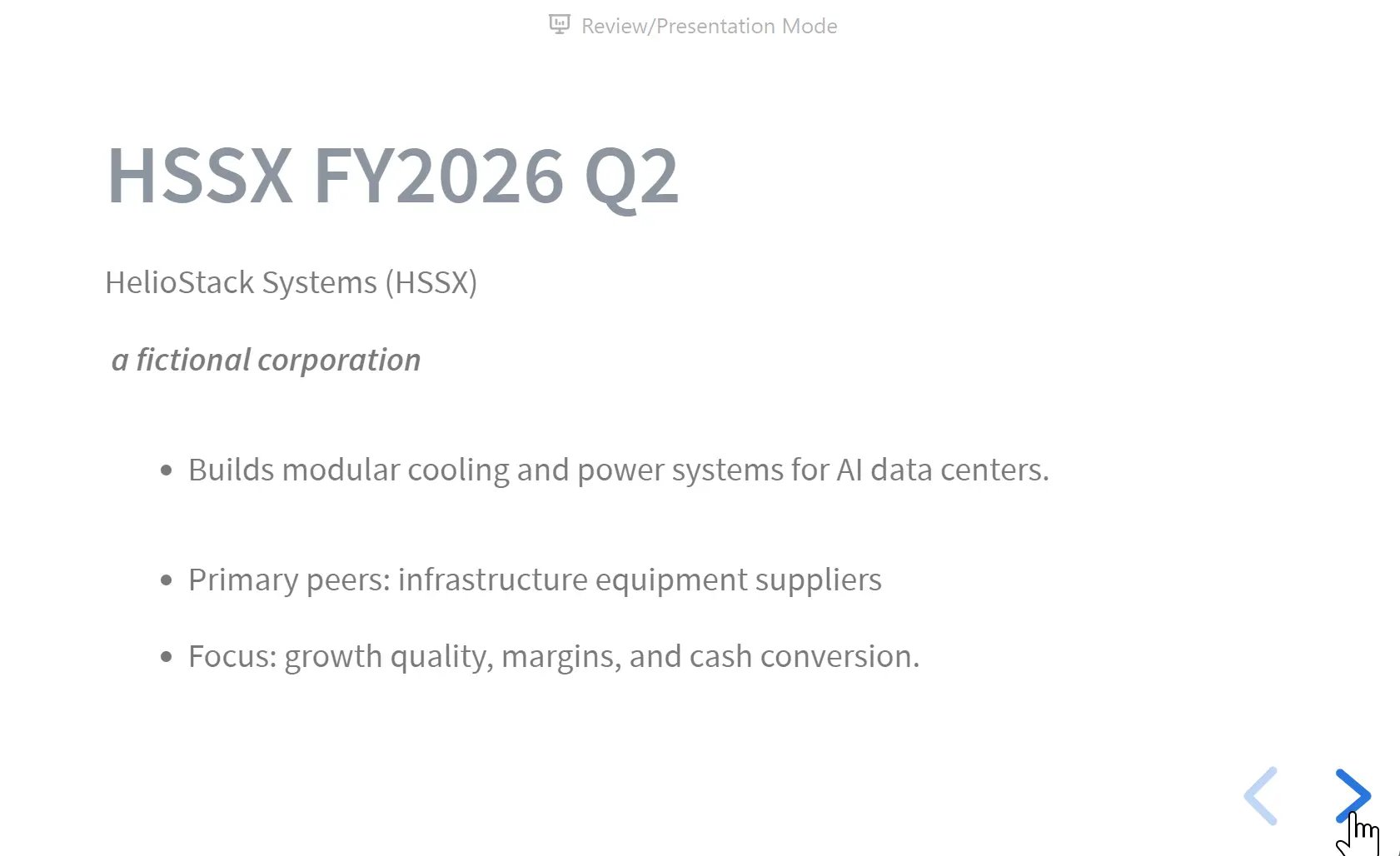
Review / Presentation Mode takes the selected blocks out of the full board layout and displays them one at a time as slides.
This lets you temporarily step away from the complexity of the workspace and focus attention on the current card.
**The board holds the context. Slides guide the attention.**
## Choose What to Show
You do not have to present everything on the board.
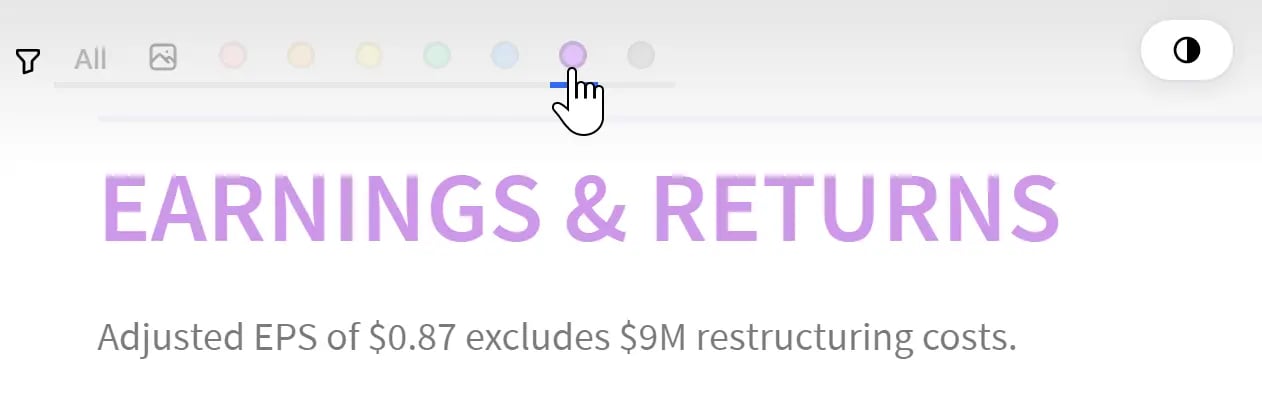
You can filter blocks by color to decide which ones should be included in the playback sequence.
But when reviewing or explaining your work, showing the entire board is not always the clearest approach.
Review / Presentation Mode takes the selected blocks out of the full board layout and displays them one at a time as slides.
This lets you temporarily step away from the complexity of the workspace and focus attention on the current card.
**The board holds the context. Slides guide the attention.**
## Choose What to Show
You do not have to present everything on the board.
You can filter blocks by color to decide which ones should be included in the playback sequence.
 For example, a single board might contain:
* raw research material
* private analysis notes
* risks and open questions
* final conclusions
* content prepared for presentation
By using color labels, you can show only the blocks that are appropriate for the current audience while keeping the full research process intact on the original board.
This means the same board can support different presentations without requiring you to duplicate it.
## Present in a Separate Window
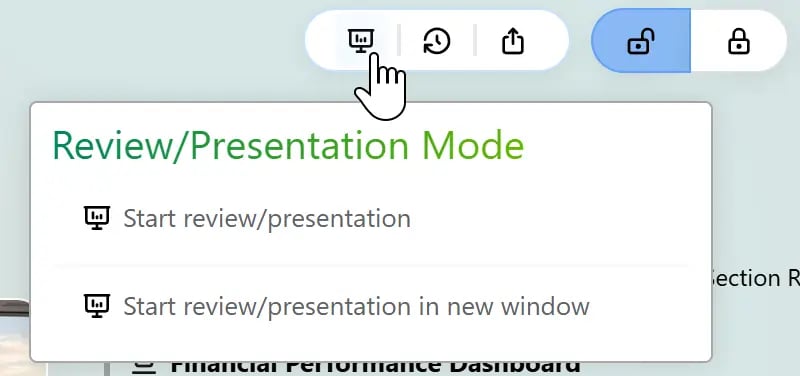
Review / Presentation Mode can be launched from the top menu.
You can play the slides directly, or open them in a **new window**.
A separate window is especially useful for presentations.
In a multi-screen or projector setup, for example, you can:
* show the slides on a projector or external display
* keep the full research board open in another window
* refer to evidence, notes, and prompts that are not visible to the audience
In this setup, the board itself becomes your presentation reference, so there is no need to prepare a separate set of presenter notes.
This works especially well for research briefings, client walkthroughs, classroom teaching, or lightweight presentations.
## An Immersive View
During playback, Bentowise provides a more immersive viewing environment so the interface stays out of the way and the content remains the focus.
You can switch between light and dark appearance depending on the environment.
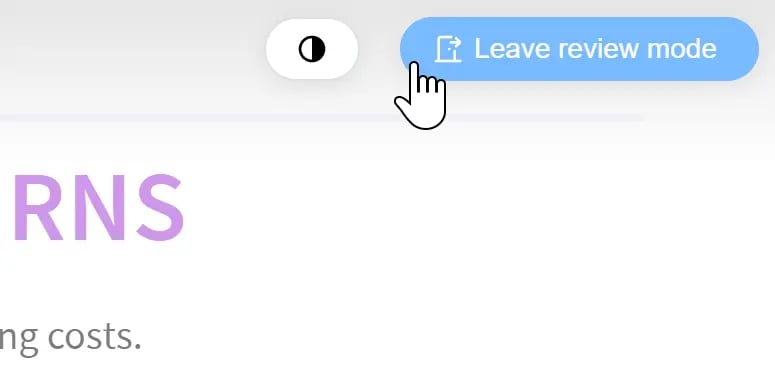
A clear exit control remains available at the top, so you can leave playback mode and return to the board at any time.
For example, a single board might contain:
* raw research material
* private analysis notes
* risks and open questions
* final conclusions
* content prepared for presentation
By using color labels, you can show only the blocks that are appropriate for the current audience while keeping the full research process intact on the original board.
This means the same board can support different presentations without requiring you to duplicate it.
## Present in a Separate Window
Review / Presentation Mode can be launched from the top menu.
You can play the slides directly, or open them in a **new window**.
A separate window is especially useful for presentations.
In a multi-screen or projector setup, for example, you can:
* show the slides on a projector or external display
* keep the full research board open in another window
* refer to evidence, notes, and prompts that are not visible to the audience
In this setup, the board itself becomes your presentation reference, so there is no need to prepare a separate set of presenter notes.
This works especially well for research briefings, client walkthroughs, classroom teaching, or lightweight presentations.
## An Immersive View
During playback, Bentowise provides a more immersive viewing environment so the interface stays out of the way and the content remains the focus.
You can switch between light and dark appearance depending on the environment.
A clear exit control remains available at the top, so you can leave playback mode and return to the board at any time.
 Review / Presentation Mode is not intended to turn Bentowise into a full slide-design application.
It is deliberately simpler:
**Think on the board first, then present only what needs to be shown.**
Review / Presentation Mode is not intended to turn Bentowise into a full slide-design application.
It is deliberately simpler:
**Think on the board first, then present only what needs to be shown.**