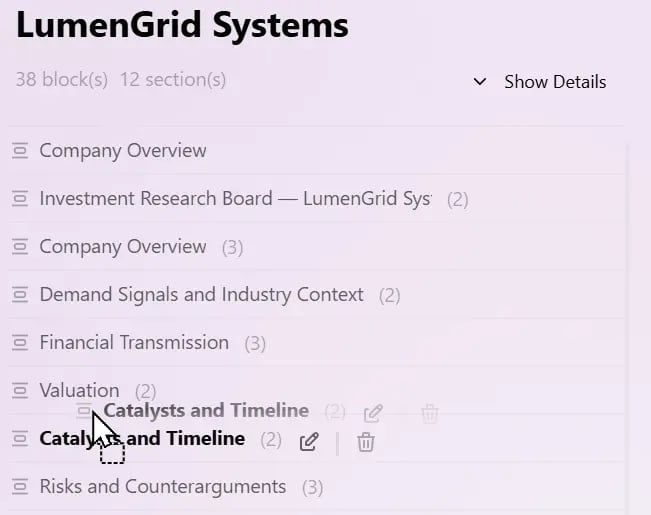
As a Board grows, you can use Sections to group related Blocks and keep the overall structure clear. A Section acts as a container that holds multiple Blocks. Snipaste 2026 08 14 12 40 40

Create a Section with a Header

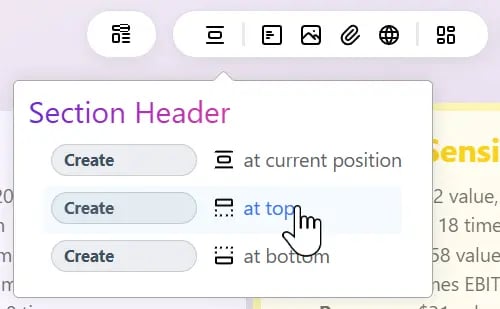
In Bentowise, creating a Section starts with adding a Section Header. Place the Header where you want the Section to begin, and the related Blocks can then be grouped under that Section. Snipaste 2026 08 14 12 39 32 For example, a research Board might contain Sections such as:
  • Background
  • Evidence
  • Analysis
  • Risks
  • Conclusion
Each Section begins with a Header and contains the Blocks that belong to that part of the Board. The Section Header is itself a Block, so it can be freely moved and repositioned just like other Blocks. This makes it easy to reshape the structure of a Board as your work develops. Once Sections have been created, a Section List appears on the right side of the Board. Snipaste 2026 08 14 12 42 17 The list shows each Section together with miniature previews of the Blocks it contains, giving you a compact overview of the entire Board. You can use it to:
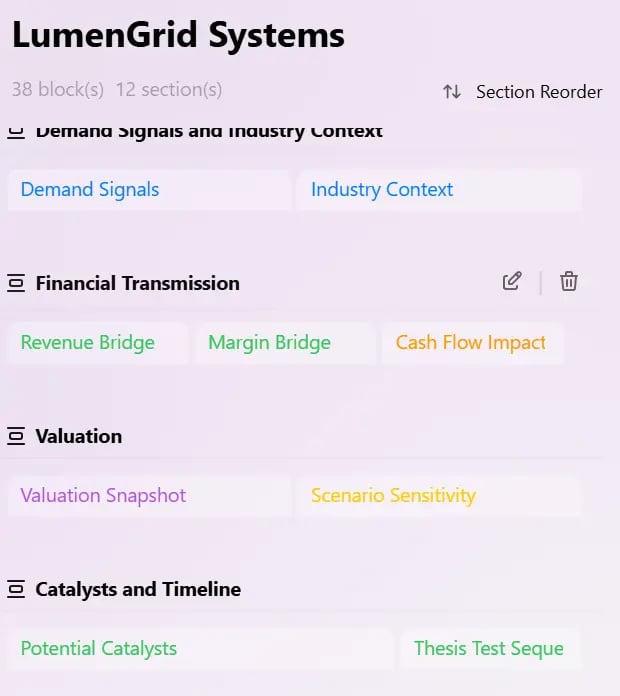
  • Jump quickly to a Section
  • See which Blocks belong to each Section
  • Navigate large Boards without scrolling through the entire workspace

Move Blocks from the Section List

The Section List is more than a navigation tool. You can also drag Blocks directly within the miniature overview. This makes it easy to move a Block from one Section to another without dragging it across a large Board. For Boards with a lot of content, the Section List provides a faster way to reorganize individual Blocks from a higher-level view.

Reorder Entire Sections

Sections can also be reordered directly from the Section List. Snipaste 2026 08 14 12 43 39 Reordering a Section moves the entire group of Blocks together, allowing you to change the overall flow of a Board without moving each Block individually. For example, you might change: Background → Analysis → Risks → Conclusion into: Conclusion → Evidence → Risks → Background The content stays together, while the structure changes to match a new line of reasoning, presentation flow, or teaching sequence. Sections help you organize groups of Blocks, while the Section List gives you a higher-level way to navigate and restructure the entire Board.