
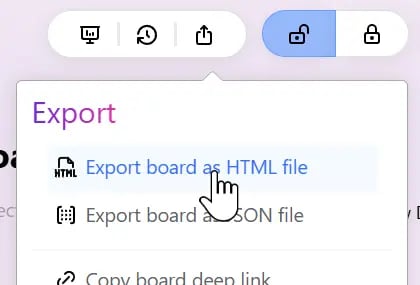
Keep the Board Visually Intact
The exported HTML preserves the board’s visual appearance as closely as possible, including:- the Bento layout
- block positions and sizes
- colors
- text content and formatting
- images that can be embedded directly
Be Careful with Local Files
One important limitation to keep in mind: Exporting to HTML does not automatically package every local or external resource referenced by the board. For example, a board may contain a file attachment block that points to a PDF, spreadsheet, or other document stored in your Vault. After export, that block may still appear in the HTML, but if you send only the HTML file to a colleague, they may not be able to open the referenced local file. The same can apply to local shortcuts and other content that depends on paths available only on your own computer. If you plan to share the HTML with someone else, make sure any required files are provided separately or stored somewhere the recipient can access. In short: HTML preserves the board presentation, but it does not automatically turn every local file into a shareable resource.Images Are Embedded
For images stored in the Vault and used directly on the board, Bentowise compresses and embeds them into the exported HTML. This usually means the recipient does not need the original image files separately. However, embedded images also increase the size of the HTML file itself. If a board contains many images, especially large or high-resolution ones, the exported HTML can become quite large. If you plan to share the file by email, messaging, or over the web, avoid using unnecessarily large images where possible.Share or Archive
Standalone HTML is especially useful for:- sharing research with colleagues or clients
- keeping a long-term, directly viewable board snapshot
- archiving project outputs
- viewing a board on a device without Bentowise installed